
Sign up
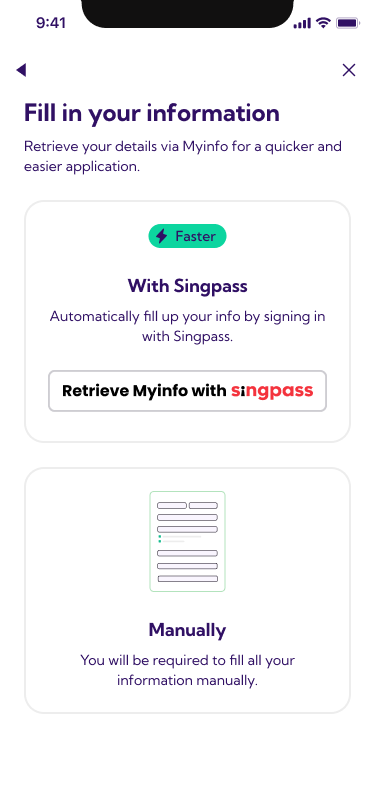
First, create your Rently account and fill in your information. You can do this two ways:
- With Singpass — the faster option. Your details are retrieved automatically via Myinfo.
- Manually — fill in your information yourself.
Tell us about your rental
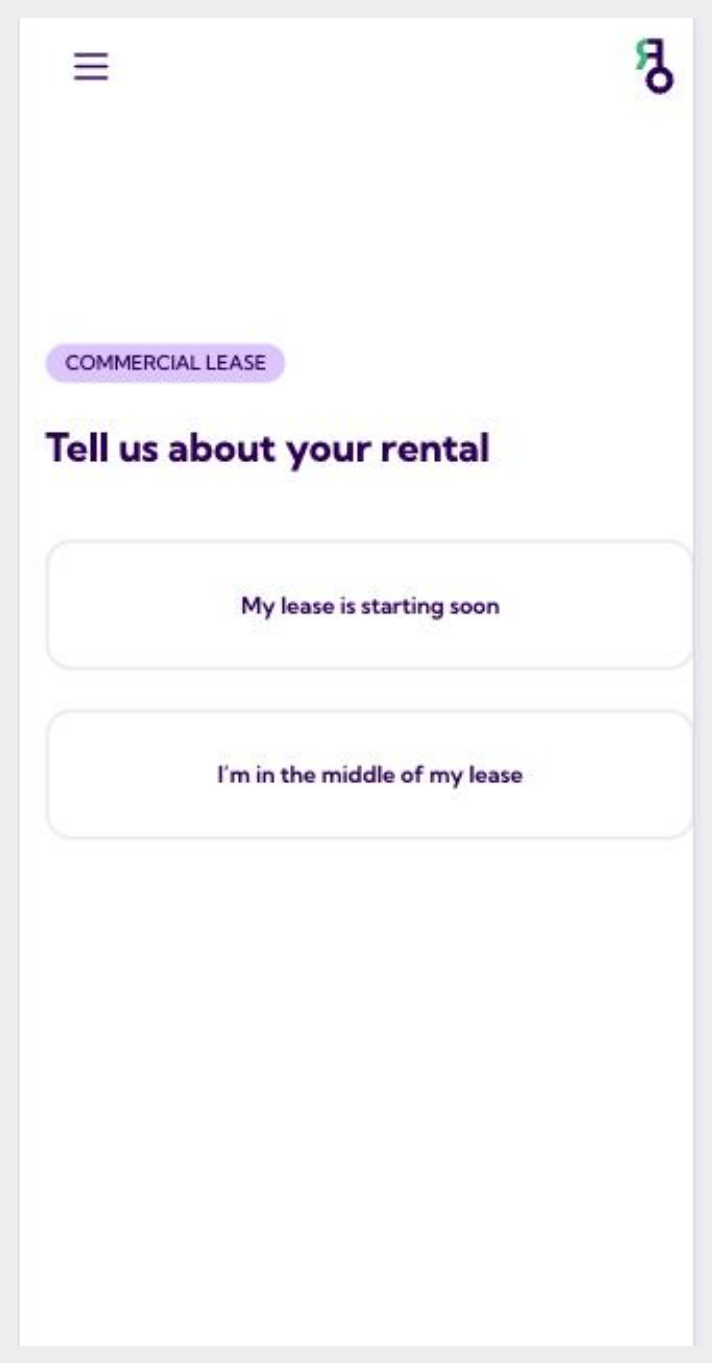
When you open Rently, you'll land on this screen. Because i360 leases commercial space, you're on the Commercial Lease flow.
Choose the option that matches your situation:
- My lease is starting soon — pick this if you're a new tenant.
- I'm in the middle of my lease — pick this if you're already renting.
Enter your rent details
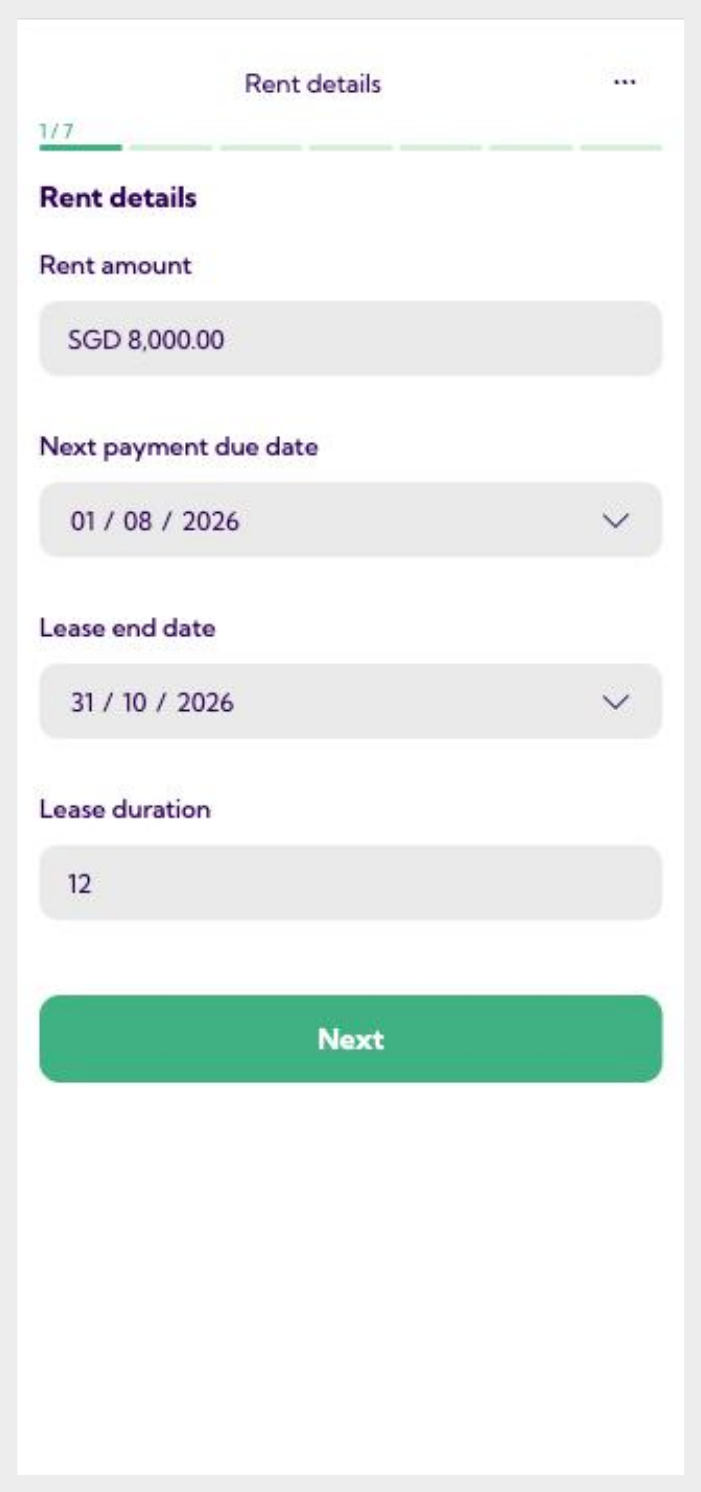
Fill in the details of your commercial tenancy, exactly as they appear on your signed agreement:
- Rent amount — your monthly rent (e.g. SGD 8,000.00).
- Next payment due date — the day your next rent is due.
- Lease end date — when your current lease ends.
- Lease duration — the total number of months.
Tap Next when everything matches your agreement.
Add your company details
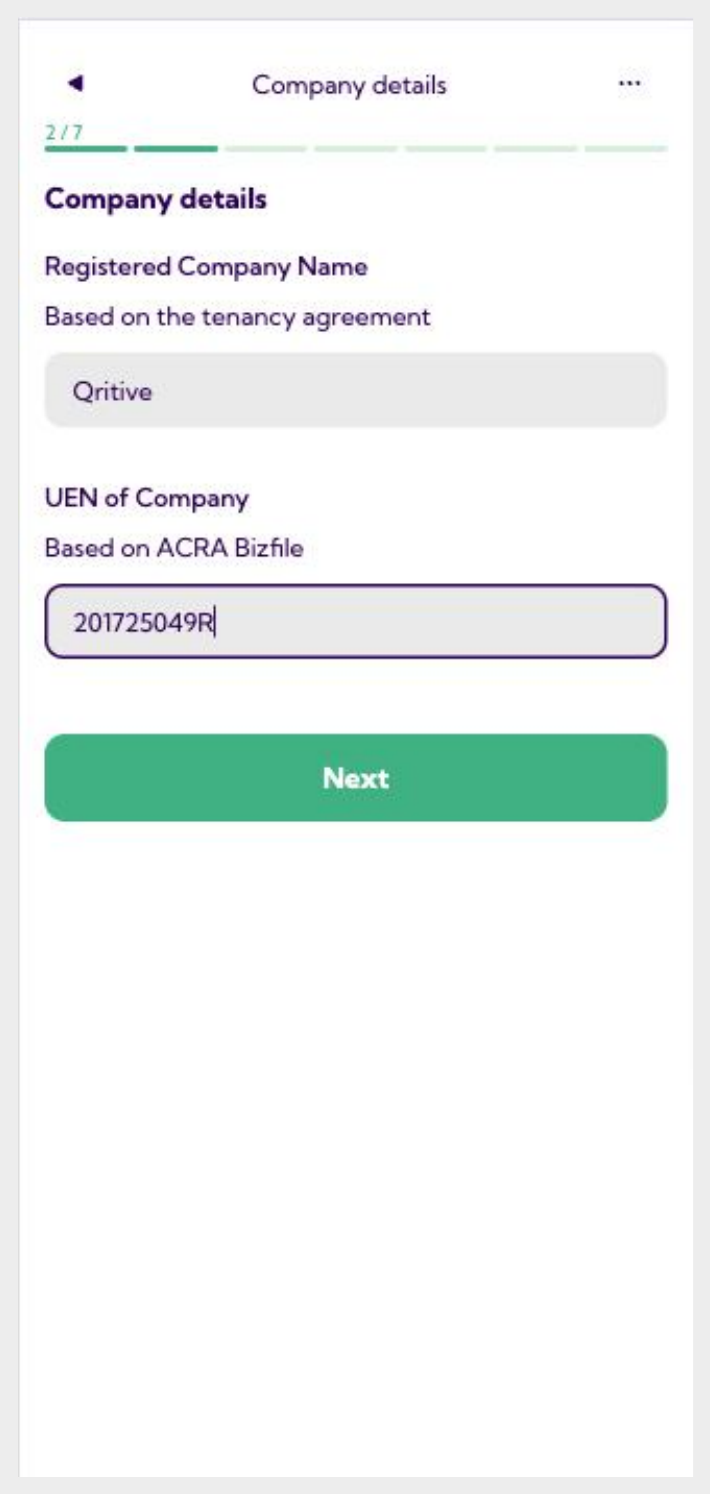
Since this is a commercial lease, Rently needs the company that holds the tenancy:
- Registered Company Name — as shown on your tenancy agreement.
- UEN of Company — your Unique Entity Number, as listed on ACRA Bizfile.
Double-check the UEN — it's used to verify your business. Then tap Next.
Choose how you'd like to use Rently
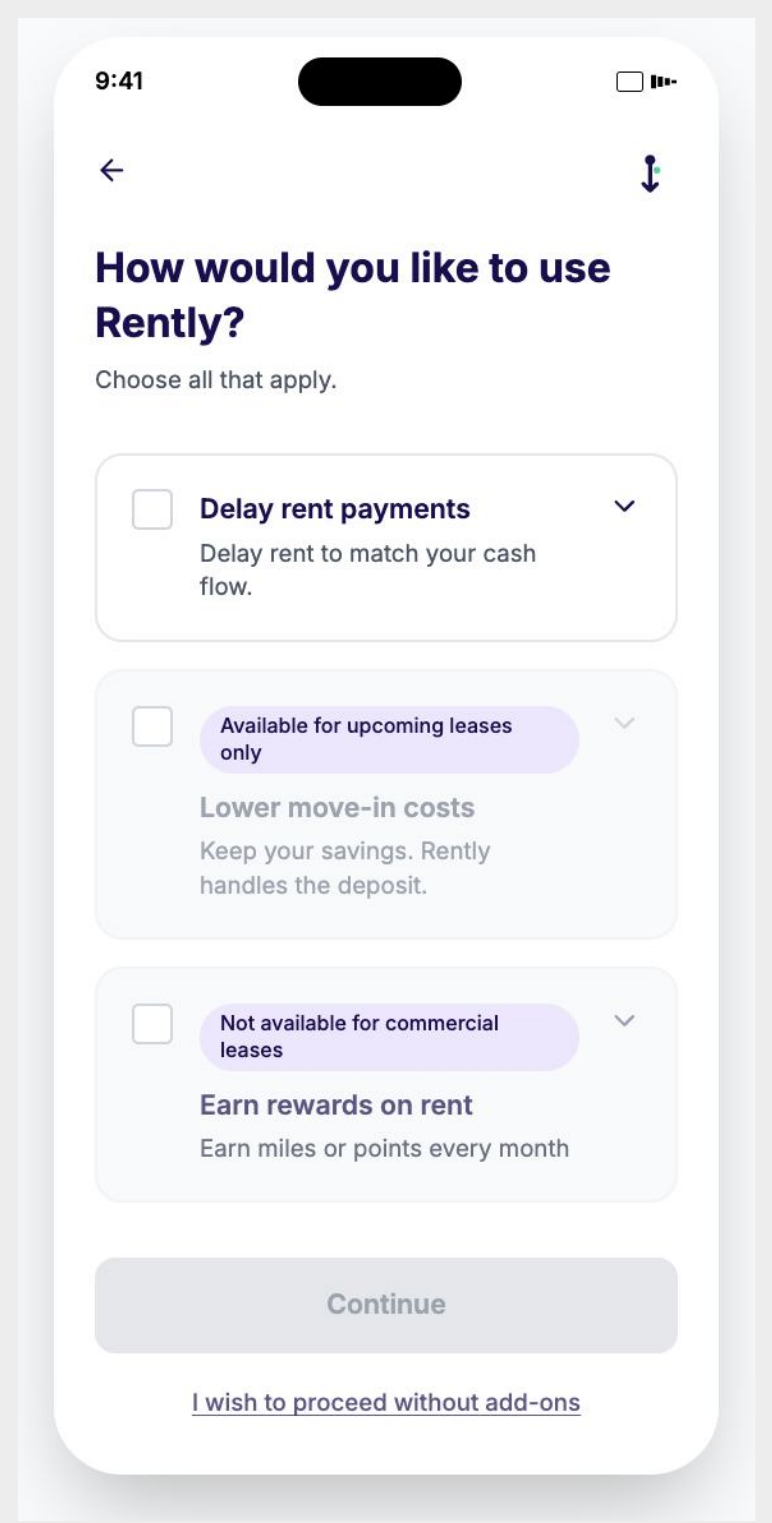
Rently offers optional add-ons. Select any that fit your business, or skip them entirely — paying rent through Rently is free either way.
- Delay rent payments — shift your rent date to match your cash flow.
- Lower move-in costs — available for upcoming leases only.
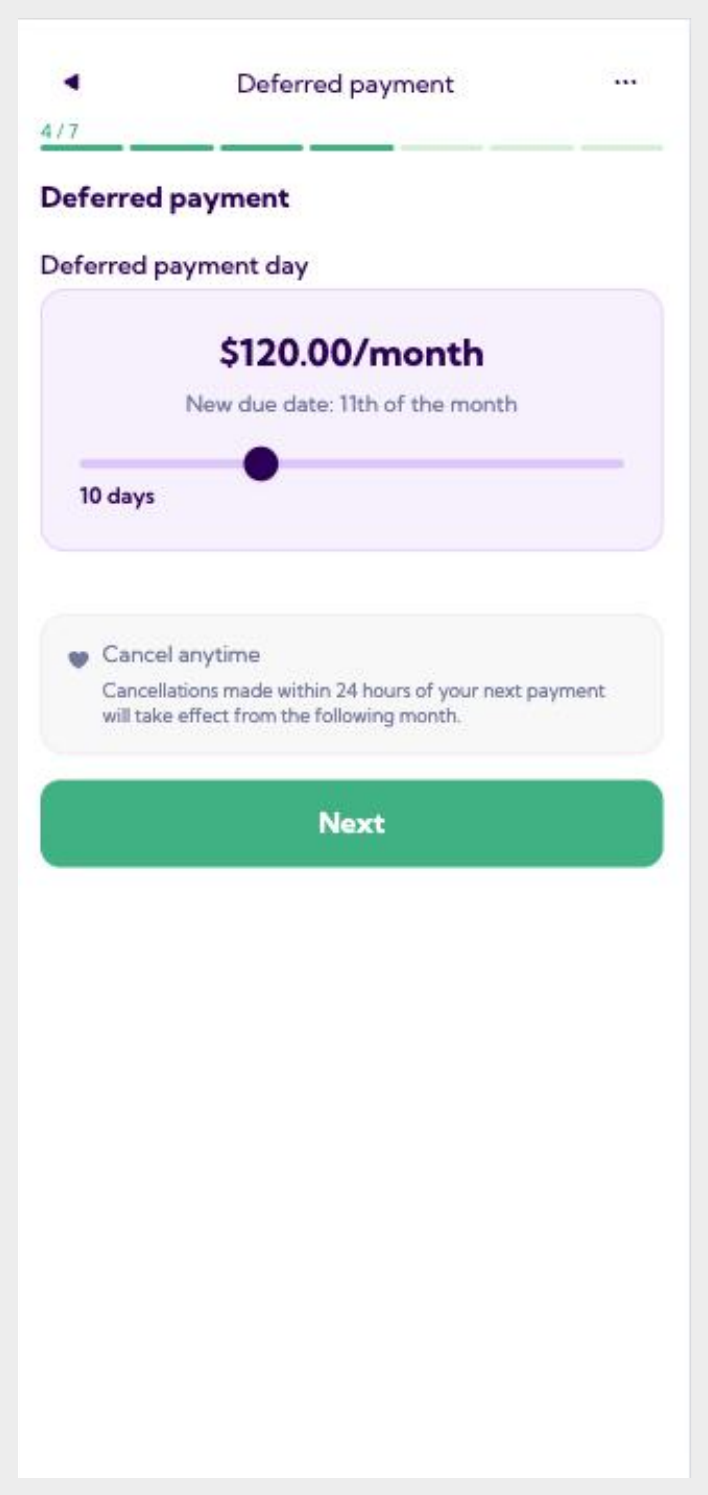
Set your deferred payment day (only if you chose Delay rent)
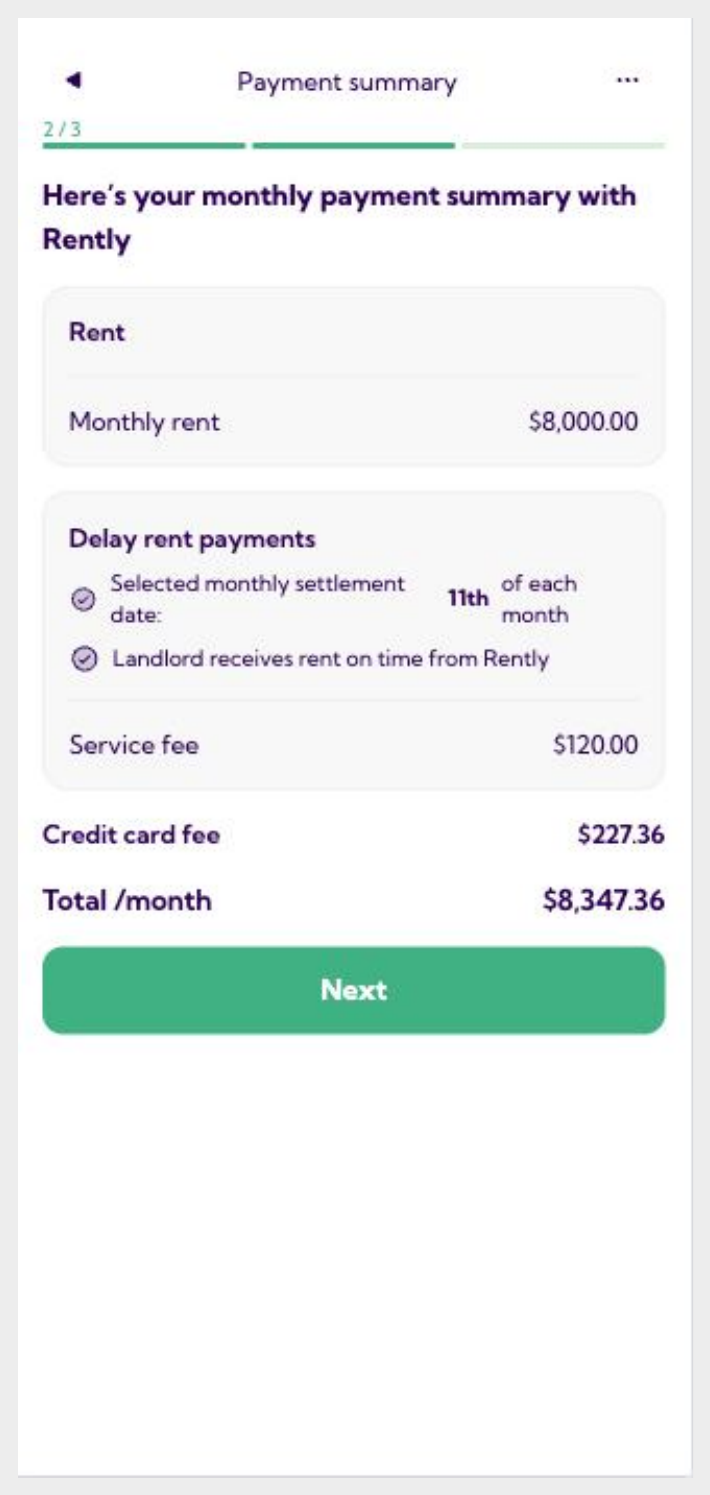
If you selected Delay rent payments, use the slider to pick how many days to defer. Rently shows you the monthly fee and your new due date.
- The example here defers rent by 10 days for $120.00/month, moving the due date to the 11th.
Skipped the add-ons? You won't see this screen — carry on to the next step.
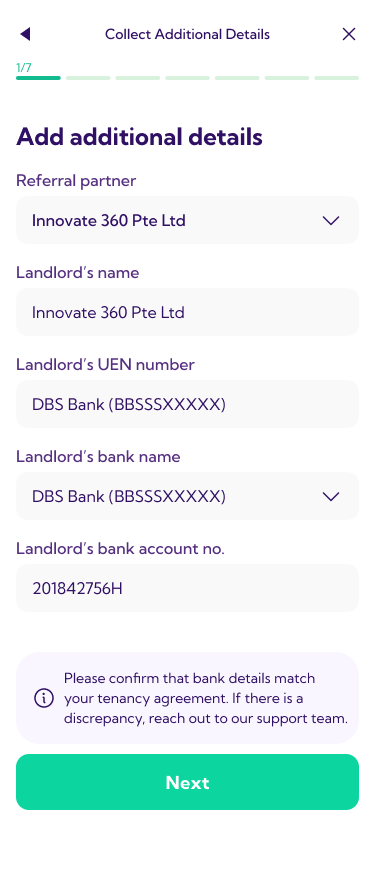
Confirm your landlord's details
This is where i360's information appears. These fields are already filled in for you — landlord name, UEN, bank name and account number — so you can simply review and continue.
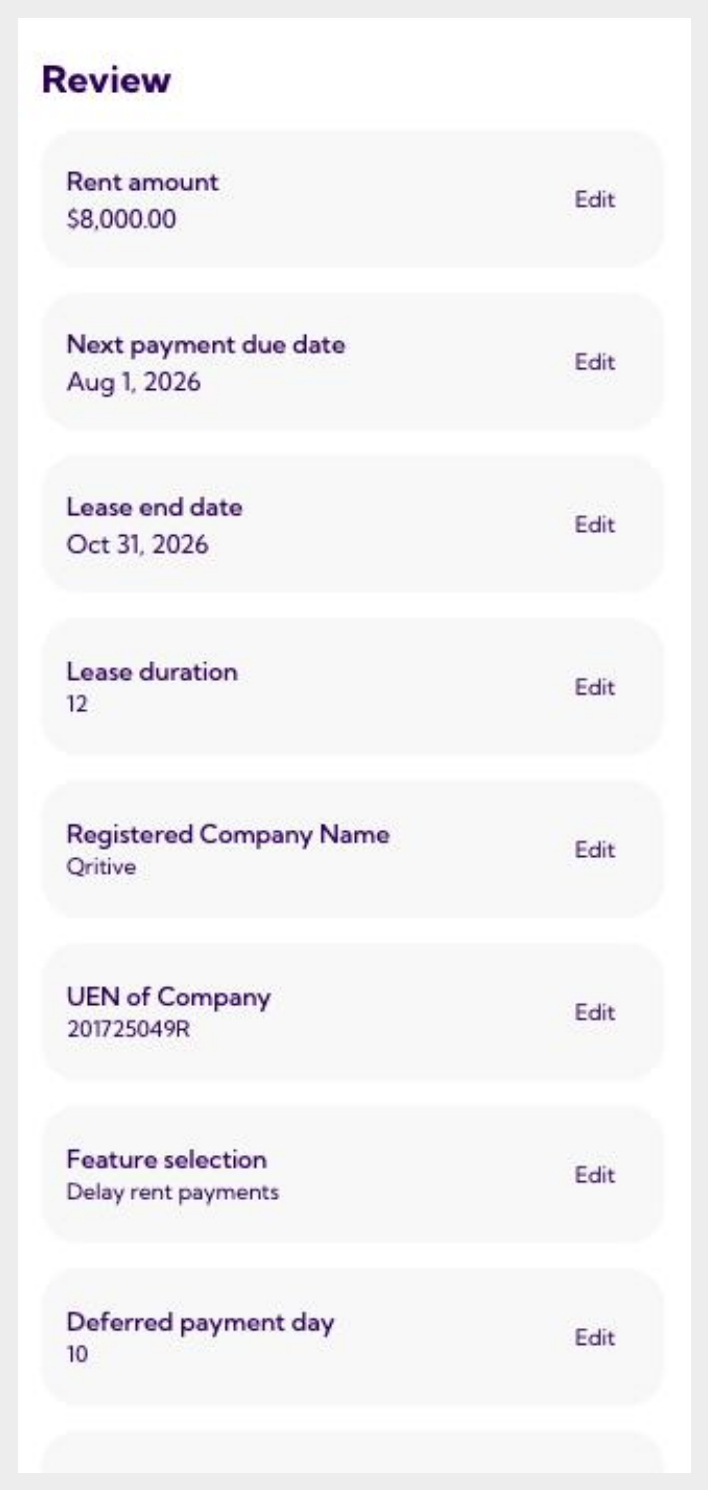
Review everything
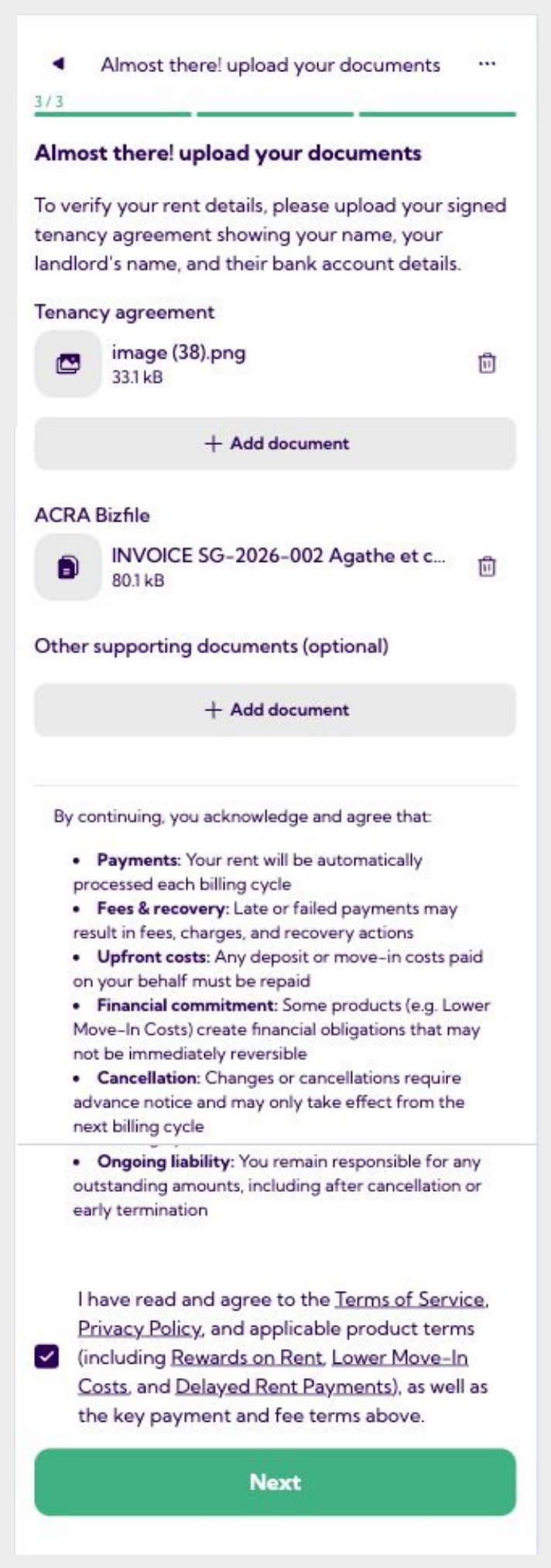
Rently shows a summary of everything you've entered — rent amount, dates, company details, and any add-ons you picked.
Look through each line. If something's wrong, tap Edit next to it to fix it. When it all looks right, continue to payment.